Building the Framework
Create Your Project Template Shell
Inside your new Asana workspace, you’ll create a single blank project that will become your template.
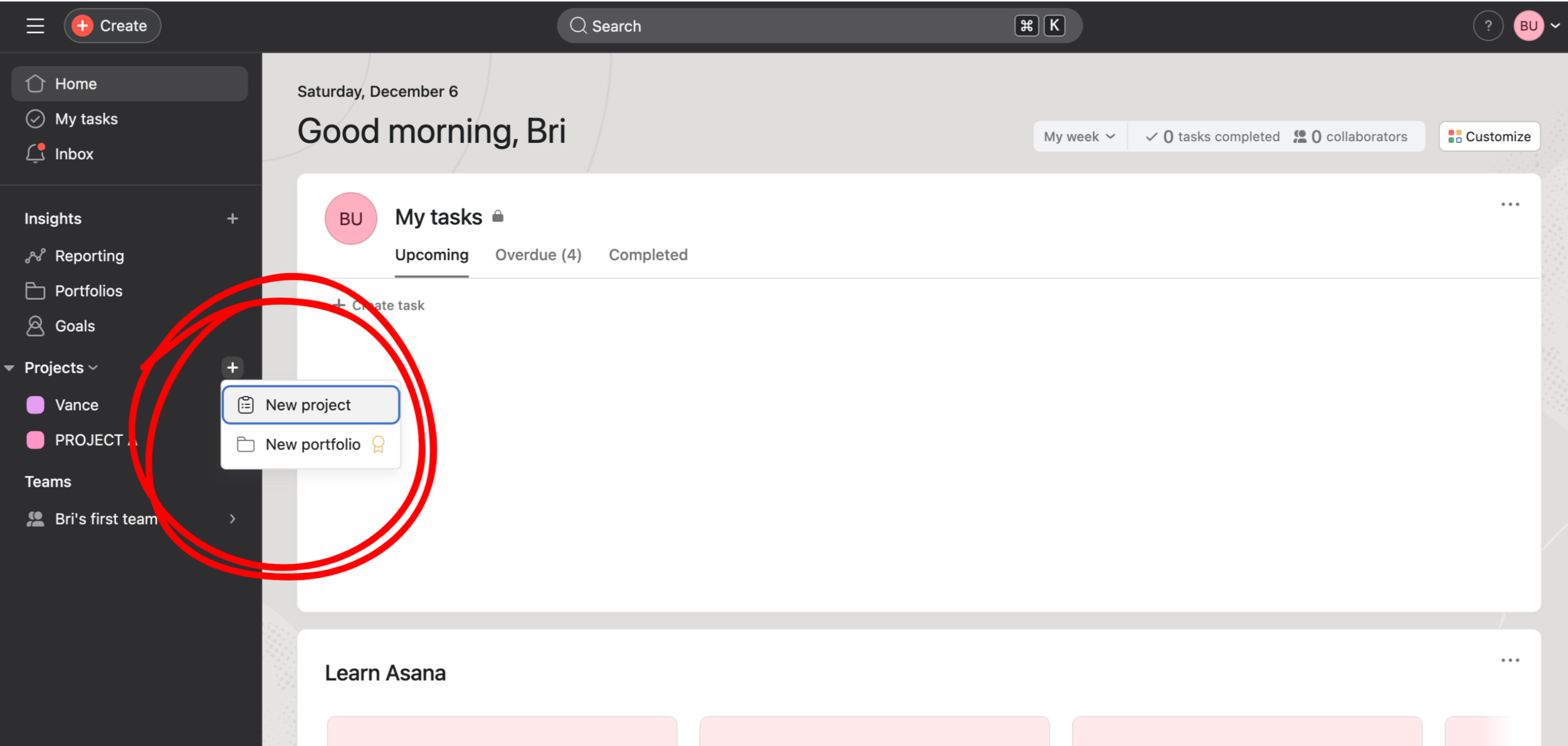
On the left sidebar, click the + to create a new project.
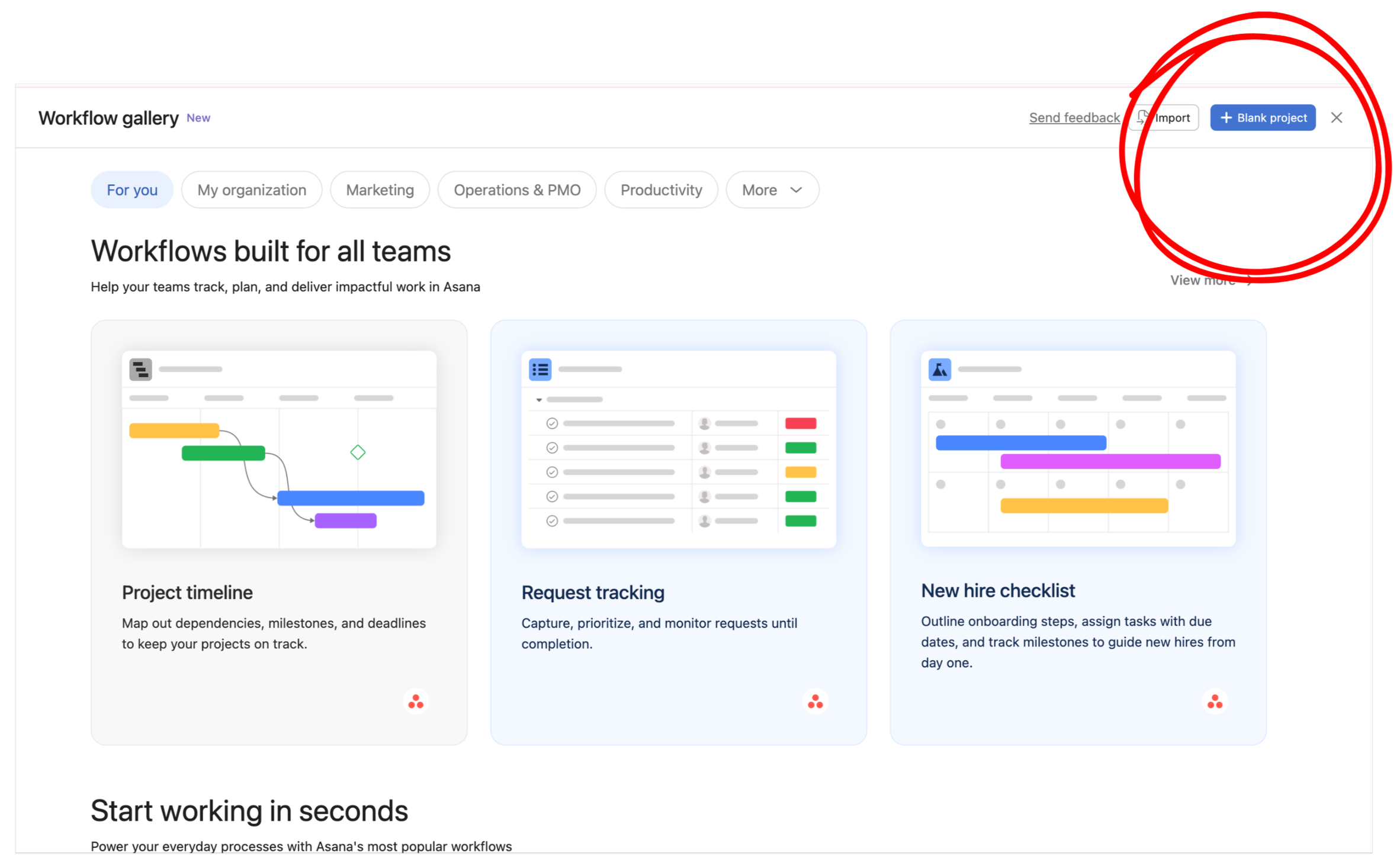
2. Select Blank Project.
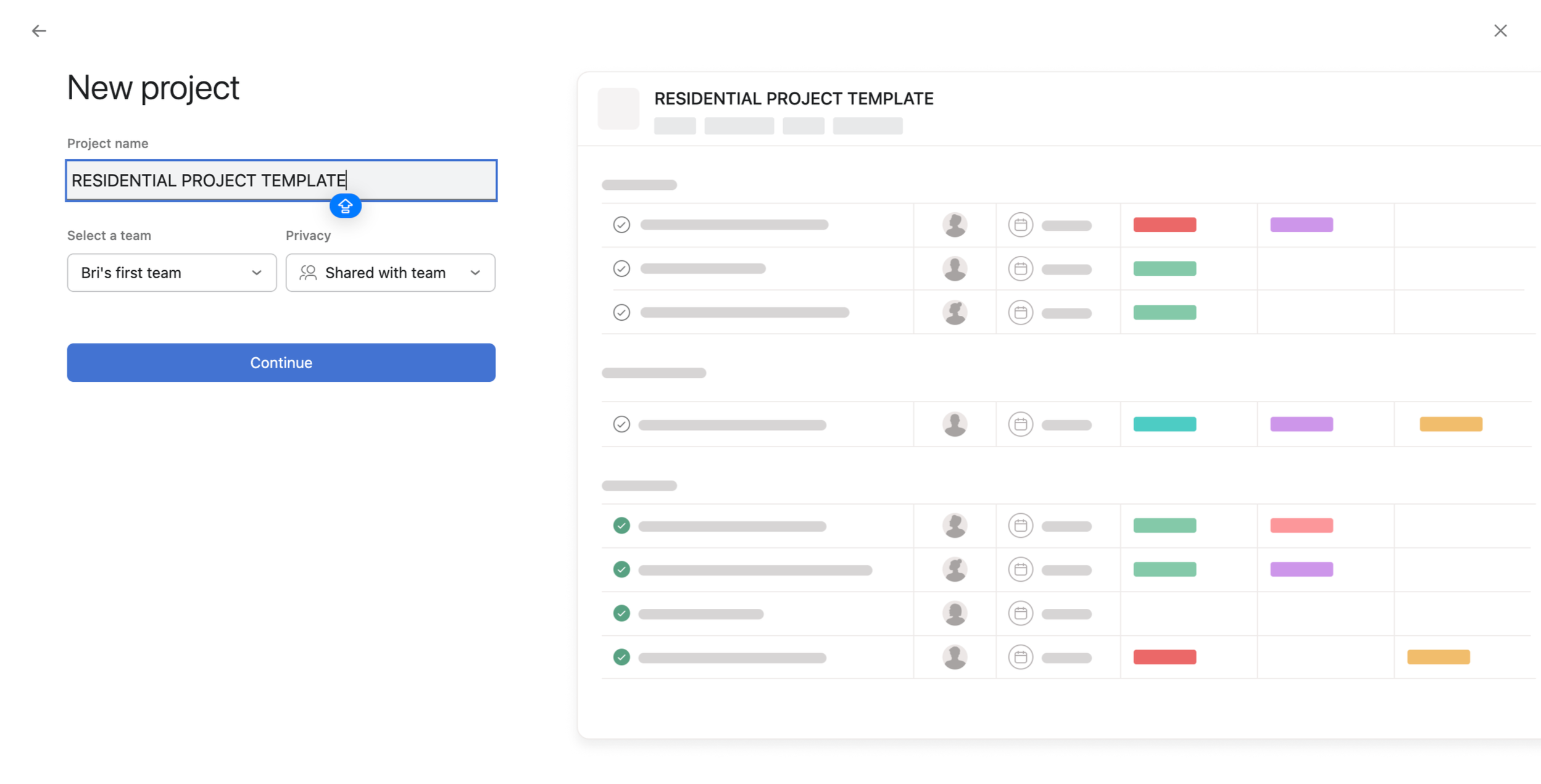
3. Give it a name that reflects the type of work you do — for example, Residential Project Template.
(If your studio handles multiple project types, you can create additional templates later. For now, choose the one that represents the bulk of your work.)
4. Leave the default team assignment as-is.
Privacy should be set to Shared with Team — that’s exactly what you want once your system goes live.
5. Click Continue.
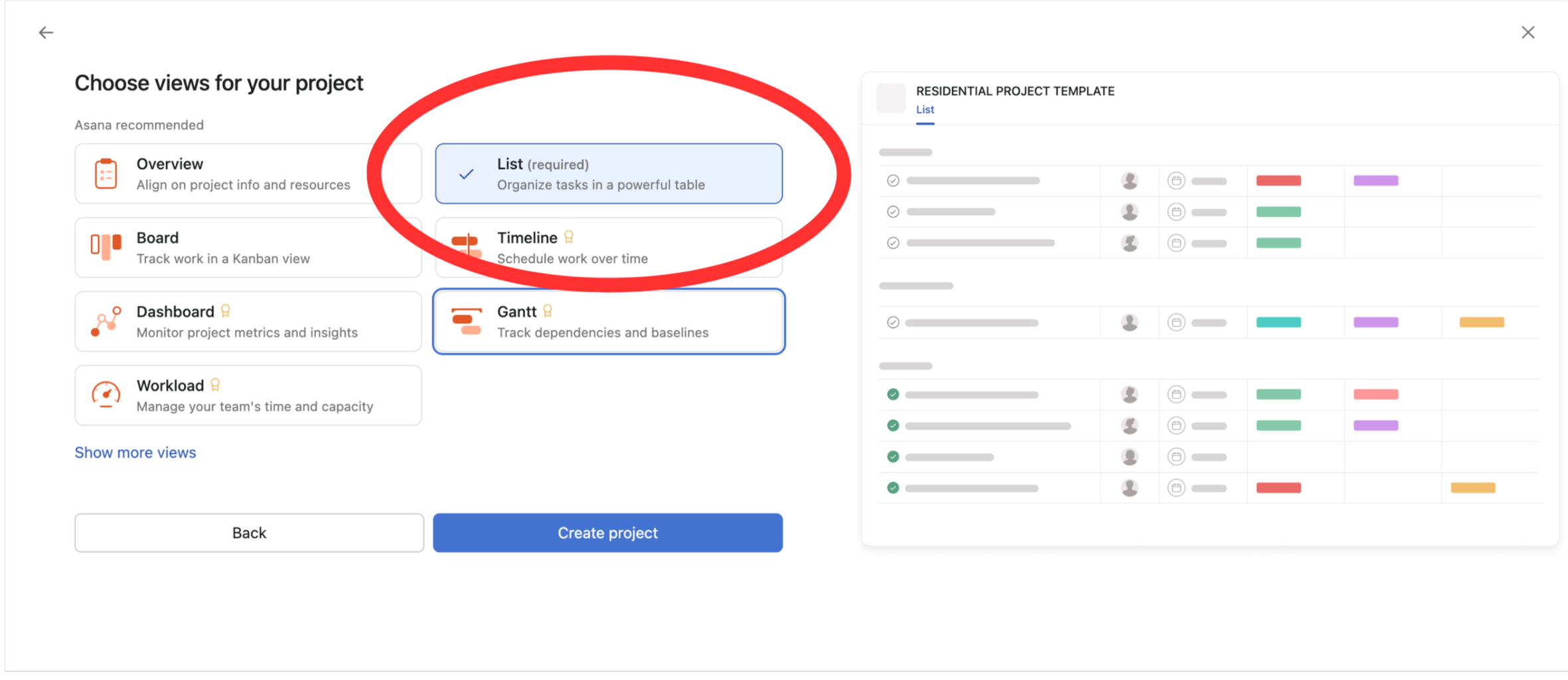
Asana will show you a set of optional views for your new project.
6. Uncheck everything except List.
List should be the only view selected.
7. Click Create Project.
You should now see a clean, empty list — the shell your Studio Spine will move into.